Attribute connectors list
This is the initial screen that displays upon entering the Attribute connectors area. It serves as the primary control panel for creating, managing, and configuring your attribute connectors.
For detailed instructions on creating a new attribute connector, jump to the Basic information section.
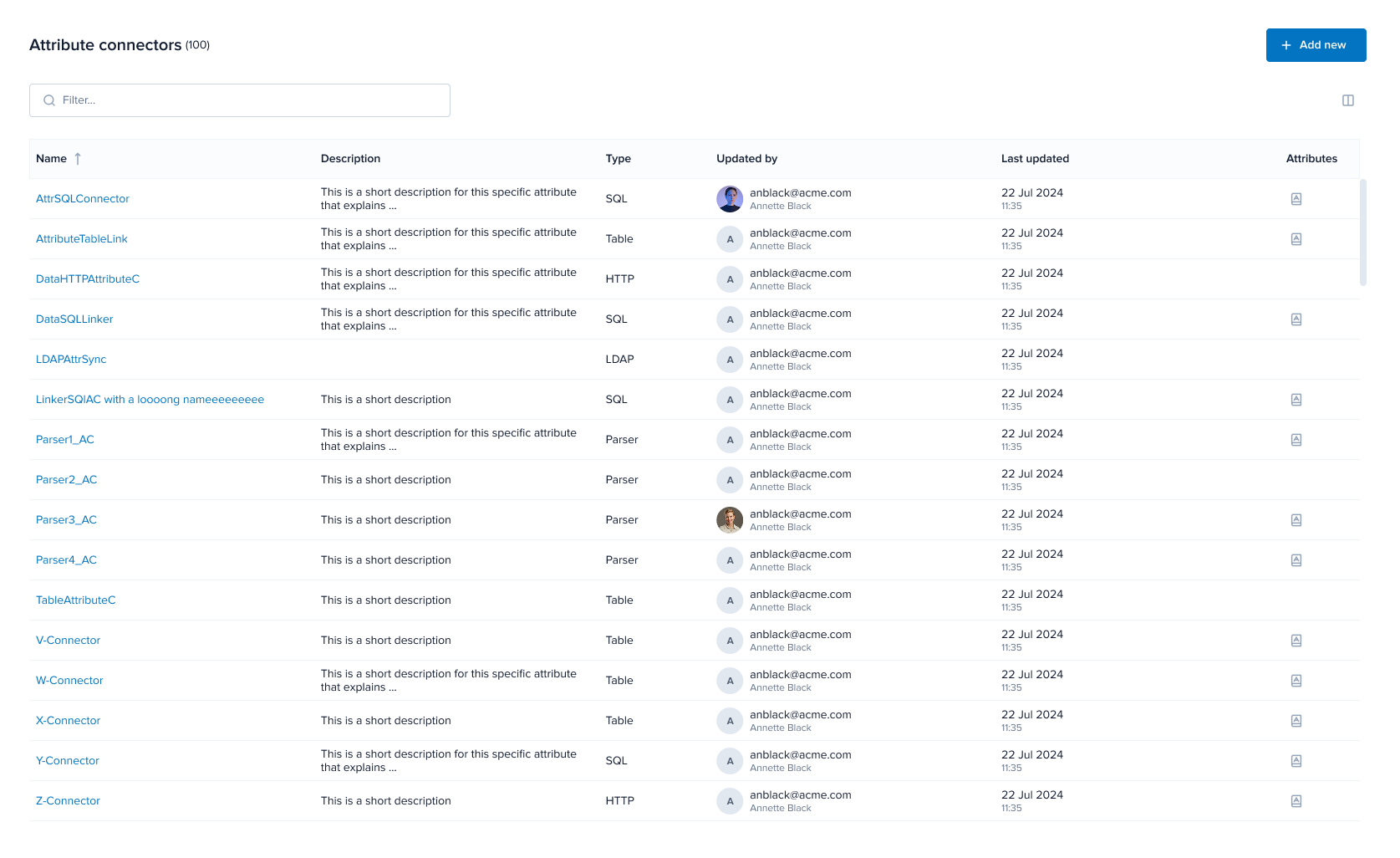
Interface
Τhe Attribute connectors section offers several tools to assist you in managing your attribute connectors. Among these features are a sortable table and a search mechanism. Read below for details.
-
Filter: Use the filter field to refine the list and narrow down the displayed attribute connectors.
noteThis is a dynamic field and returns relevant results as you type.
-
Sorting: Sort the contents of the list by column values by clicking the header of the column whose contents you want to sort by.
tipYou can see the applied direction on the header's arrow indicator.
-
Provided attributes: The provided attributes icon in the Attributes column lists the provided attributes to be fetched from the attribute source when evaluating an access request.
Manage attribute connectors
You can perform several actions to your existing attribute connectors by clicking the three dots on the far right of each entry and selecting from:
-
Edit
-
Perform all necessary changes in the displayed pop-up window.
noteYou can edit the attribute connector's configuration as needed, but you cannot change its type.
-
Click Update.
noteThe initial configurations of attribute connectors are kept intact after editing them so that authorization engines relying on the original instances are not impacted.
-
-
Duplicate
A clone of the attribute is created with the prefix
Copy_of_added to its name.noteTo avoid confusion between the various clones of any one attribute connector, the system adds automatically numeric suffixes to the name of each cloned item. The indexing system identifies the clone according to its sequential relation to its original attribute connector and to its subsequent iterations. For example, the suffix
_1_2indicates the item is the second clone made from the first clone generated. -
Delete
Confirm your action in the displayed pop-up by clicking Yes, delete.
noteThe initial configurations of attribute connectors are kept intact after deleting them so that authorization engines relying on the original instances are not impacted.